Device management software Product List and Ranking from 7 Manufacturers, Suppliers and Companies | IPROS

Last Updated: Aggregation Period:Oct 21, 2026~Nov 17, 2026
This ranking is based on the number of page views on our site.

Device management software Manufacturer, Suppliers and Company Rankings

Last Updated: Aggregation Period:Oct 21, 2026~Nov 17, 2026
This ranking is based on the number of page views on our site.

  1. ピーアップ Tokyo//Service Industry
  2. アイキューブドシステムズ Tokyo//Information and Communications
  3. アイセル Tokyo//Information and Communications
  4. STJグループ(株式会社サンテレコムジャパン、株式会社STJレンテック) Tokyo//Trading company/Wholesale
  5. 5 エービーケーエスエス 本社 Osaka//Architectural design office

Device management software Product ranking

Last Updated: Aggregation Period:Oct 21, 2026~Nov 17, 2026
This ranking is based on the number of page views on our site.

  1. I can't ask now! What is MDM? ピーアップ
  2. Can MDM be added to an iPhone that is already in use? ピーアップ
  3. CLOMO MDM アイキューブドシステムズ
  4. What is MDM? How to securely manage company smartphones ピーアップ
  5. 4 MDM・Mobile Management "BizMobile Go!" アイセル

Device management software Product List

1~15 item / All 15 items

Displayed results

What is MDM? Explanation of its meaning, necessity, functions, and key points of device management.

Introducing mobile device management (MDM) for business use!

To efficiently manage and secure mobile devices necessary for business, the MDM solution is recommended. MDM refers to services or software that centrally monitor and manage mobile devices. In this article, we will clearly explain the necessity, functions, and implementation points of MDM. *For detailed content of the column, please refer to the related links. For more information, please check the PDF materials or feel free to contact us.*

Added to bookmarks

Bookmarks list

Bookmark has been removed

Bookmarks list

You can't add any more bookmarks

By registering as a member, you can increase the number of bookmarks you can save and organize them with labels.

Free membership registration

[Column] MDM Function Special (2) "Explaining Function Restrictions"

An explanation of what types of users can enjoy comfort in what aspects!

MDM (Mobile Device Management) is effective for managing and monitoring corporate smartphones and mobile phones. This time, we will introduce "Restrictions," which is suitable for managing iOS devices, as one of the main features of MDM. "Restrictions" help unify the operational policies of corporate smartphones, enhance security, and prevent personal use. In this article, we will explain why to use restrictions with MDM and how different users can comfortably utilize them. Please be sure to read until the end. *For detailed content of the column, you can view it through the related links. For more information, please feel free to contact us.

Added to bookmarks

Bookmarks list

Bookmark has been removed

Bookmarks list

You can't add any more bookmarks

By registering as a member, you can increase the number of bookmarks you can save and organize them with labels.

Free membership registration

[Case Study of Corporate Mobile Phones and Smartphones] BPO Services <Machined Products Business>

Remote management using MDM has dramatically improved work efficiency and reduced the burden on the management department!

We would like to introduce case studies of the "Comprehensive Mobile Business Support Service (Marumo)" and "OptimalBiz (MDM)" in the machine processing business. The company contracted an MDM provided by a telecommunications carrier when introducing business terminals, but faced challenges such as lacking the know-how for environment setup, which limited its utilization. After implementation, by utilizing MDM operation support, they achieved reliable operation with comprehensive support. Tasks that are prone to occur, such as settings and management information changes, can now be completed in-house. [Case Overview] ■Challenges - Difficulties in managing devices - Lack of knowledge about MDM ■Effects - Automation with MDM tools - Support from MDM professionals *For more details, please download the PDF or feel free to contact us.

Added to bookmarks

Bookmarks list

Bookmark has been removed

Bookmarks list

You can't add any more bookmarks

By registering as a member, you can increase the number of bookmarks you can save and organize them with labels.

Free membership registration

CLOMO MDM

14 consecutive years of No. 1 market share in the MDM market! (*) The standard for mobile management.

"CLOMO MDM" is a service that efficiently manages mobile devices, starting from kitting, and includes app distribution, management, and remote monitoring. It has gained significant support from customers by covering overwhelming operational examples on iOS and extending to Windows 11. Additionally, it is a purely domestic MDM that complies with the new management method for Android known as "Android Enterprise Recommended." The reasons why "CLOMO MDM" is chosen are as follows: ■ Overwhelming ease of use ■ Robust security ■ Careful support *Source: Deloitte Tohmatsu Mic Economic Research Institute "Collaboration/Content Mobile Management Package Software Market Outlook (https://mic-r.co.jp/mr/00755/)" Shipment amounts for fiscal years 2011-2013, "MDM In-house Brand Market (Mic IT Report December Issue: https://mic-r.co.jp/micit/2024/)" Shipment amounts for fiscal years 2014-2023 and forecast for fiscal year 2024.

  • Labor Management System
  • Device management software

Added to bookmarks

Bookmarks list

Bookmark has been removed

Bookmarks list

You can't add any more bookmarks

By registering as a member, you can increase the number of bookmarks you can save and organize them with labels.

Free membership registration

Apple Business Manager

No need for device operations during MDM implementation! Prevent users from deleting the MDM profile.

Telecom Co., Ltd. is an authorized agent for au. We will propose suitable plans and business efficiency improvements tailored to your needs and situation. We cater to a wide range of clients, from companies introducing corporate mobile phones for the first time, to those switching from feature phones, and those changing models from other manufacturers. "Apple Business Manager" is a corporate program provided by Apple that enables strong integration between EMM/MDM and iOS, allowing for the configuration and control of iOS devices. 【Benefits】 ■ No device setup work required when implementing MDM ■ Prevents users from deleting the MDM profile ■ Allows remote switching of device monitoring modes *For more details, please download the PDF or feel free to contact us.

  • Other Software
  • Device management software

Added to bookmarks

Bookmarks list

Bookmark has been removed

Bookmarks list

You can't add any more bookmarks

By registering as a member, you can increase the number of bookmarks you can save and organize them with labels.

Free membership registration

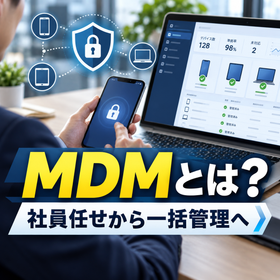
What is MDM? How to securely manage company smartphones

We will centrally manage loss prevention measures, usage rules, and security settings.

We will introduce how to safely manage company smartphones. MDM is a system that allows you to manage rules, settings, and device information all in one place. It visualizes the management of company-issued smartphones. As the number of smartphones increases, it is important to have a system that does not leave management to others. 【What MDM can do】 ■Remote lock ■Usage rule settings ■App management ■Understanding device information ■Enhanced security *For more details, please download the PDF or feel free to contact us.

  • Mobile phones and smartphones
  • Device management software

Added to bookmarks

Bookmarks list

Bookmark has been removed

Bookmarks list

You can't add any more bookmarks

By registering as a member, you can increase the number of bookmarks you can save and organize them with labels.

Free membership registration

[Column] Special Feature on MDM Functions (1) Explanation of Application Distribution Functions

One of the functions of MDM is "App Distribution"! This explains the benefits of app distribution using MDM.

MDM (Mobile Device Management) is effective for managing and monitoring corporate smartphones and mobile phones. In addition to device management and security enhancement, MDM has convenient features, among which the "app distribution feature" is very helpful for improving the operational efficiency of corporate smartphones and preventing personal use. In this article, we will explain the "app distribution feature" of MDM and introduce the convenient feature "App Catalog" of our MDM product, 'OptimalBiz.' *For detailed content of the column, you can view it from the related links. For more information, please refer to the PDF materials or feel free to contact us.

Added to bookmarks

Bookmarks list

Bookmark has been removed

Bookmarks list

You can't add any more bookmarks

By registering as a member, you can increase the number of bookmarks you can save and organize them with labels.

Free membership registration

CLOMO MDM

Mobile and cloud solutions that turn smart devices into business weapons.

"CLOMO MDM" supports a wide range of devices and communication carriers, allowing for centralized management of various devices. As an example of usage, administrators can access the management console via a browser to utilize this cloud service. Remote settings for smart devices and measures for theft or loss can be performed, and there is no need to purchase hardware or servers at the time of service implementation, making it easy to get started. 【Recommended for those with the following concerns】 ■ Unsure of the appropriate management methods ■ Setting up devices upon purchase is cumbersome ■ Want to strengthen measures against loss or theft ■ Want to manage multiple operating systems in a unified manner ■ Also want to manage applications *For more details, please refer to the PDF materials or feel free to contact us.

  • BI Tools
  • Other Management Services
  • Device management software

Added to bookmarks

Bookmarks list

Bookmark has been removed

Bookmarks list

You can't add any more bookmarks

By registering as a member, you can increase the number of bookmarks you can save and organize them with labels.

Free membership registration

MDM『mobiconnect for Business』

MDM (Mobile Device Management) services that support new ways of working!

"mobiconnect for Business" is an MDM (Mobile Device Management) service for managing and operating smartphones, tablets, and other devices. It allows for centralized management of device settings and app configurations, reducing the burden on both users and administrators. Additionally, it enables security measures through remote operations in the event of theft or loss. 【Features】 ■ Measures against information leakage in case of device loss ■ Improved efficiency in management and operation ■ Understanding of device utilization status *For more details, please download the PDF or feel free to contact us.

  • others
  • Sales promotion and sales support software
  • Device management software

Added to bookmarks

Bookmarks list

Bookmark has been removed

Bookmarks list

You can't add any more bookmarks

By registering as a member, you can increase the number of bookmarks you can save and organize them with labels.

Free membership registration

MDM・Mobile Management "BizMobile Go!"

Bulk management of devices taken out! Secure operation of smartphones and tablets.

"BizMobile Go!" is a mobile device management (MDM) service that allows for centralized management of smartphones and tablets used in business from the cloud, ensuring remote locking and security restrictions in case of loss. 【This service addresses the following issues】 - Preventing information leaks due to loss or theft of smartphones and tablets provided to employees. - Restricting the installation of unnecessary applications and access to inappropriate websites for business purposes. - Eliminating the hassle of manually distributing applications and performing initial setups for multiple devices one by one. 【Main features】 1. Remote Lock and Wipe: Execute remote locking and data initialization of devices in case of loss. 2. Virtual Catalog Management: Distribute and update only necessary applications while restricting others. 3. Device Restrictions: Control based on security requirements, such as disabling camera use and limiting screenshots.

  • Other Software
  • Device management software

Added to bookmarks

Bookmarks list

Bookmark has been removed

Bookmarks list

You can't add any more bookmarks

By registering as a member, you can increase the number of bookmarks you can save and organize them with labels.

Free membership registration

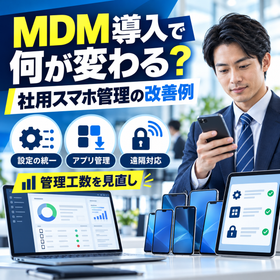
What changes with the introduction of MDM? Examples of improvements in managing company smartphones.

Are you reconsidering the hassle of managing company smartphones with MDM?

As the number of company smartphones increases, the burden on management personnel grows significantly due to tasks such as changing settings, distributing apps, monitoring usage, and responding to lost devices. Issues such as "inconsistent settings across devices," "time-consuming device changes and updates," and "concerns about initial response to lost devices" highlight the need for improvements, and MDM (Mobile Device Management) is gaining attention as a solution. By utilizing MDM, it becomes easier to unify device settings, manage apps, impose usage restrictions, and perform remote locking all at once. The materials will clearly explain what changes with the introduction of MDM, along with examples of improvements in company smartphone management. Please download and check it out.

  • Mobile phones and smartphones
  • Device management software

Added to bookmarks

Bookmarks list

Bookmark has been removed

Bookmarks list

You can't add any more bookmarks

By registering as a member, you can increase the number of bookmarks you can save and organize them with labels.

Free membership registration

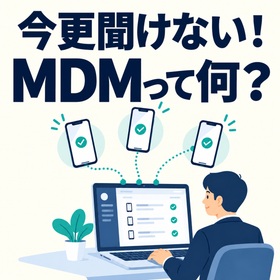
I can't ask now! What is MDM?

A system for managing company smartphones collectively. An organized diagram of what can and cannot be done.

Although company smartphones have been distributed, the apps and settings are inconsistent. It's unclear how to respond in case of loss. In such situations, MDM is worth considering. MDM stands for Mobile Device Management, a system for centrally managing company smartphones and other devices. From the management screen, you can distribute business apps, impose usage restrictions, check device information, and remotely lock devices in case of loss. However, the available features vary depending on the product, OS, and device registration method. Remote operations have conditions related to communication and settings, and they cannot always be executed immediately. If Excel serves as a "ledger" that records user and contract information, MDM is a tool that supports the actual device settings and controls. Simply implementing it does not prevent information leaks or losses; rules for usage, communication systems, and device recovery operations are also necessary. It is recommended for companies that want to standardize settings across multiple devices, have frequent employee turnover, or need to manage smartphones taken outside the office. P-Up will help organize the content you want to manage and propose the necessity and implementation methods for MDM. A dedicated PDF explains the basics with illustrations and comparison tables. For consultation on implementation costs, please contact us through "Web Inquiry" on Ipros. *The company examples in the catalog are hypothetical use cases for explanation purposes.

  • Mobile phones and smartphones
  • Device management software

Added to bookmarks

Bookmarks list

Bookmark has been removed

Bookmarks list

You can't add any more bookmarks

By registering as a member, you can increase the number of bookmarks you can save and organize them with labels.

Free membership registration

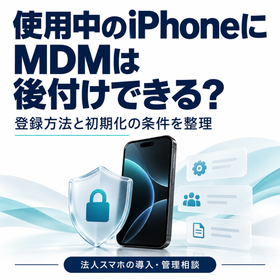
Can MDM be added to an iPhone that is already in use?

The necessity of initialization varies depending on the registration method. We will organize the status of existing devices and the required management functions.

Even for company-owned iPhones in use, the introduction of MDM (Mobile Device Management) can be considered depending on the device's condition and the registration method adopted. However, it is not guaranteed that "no initialization is required if added later" or "the same management can be applied to any device." First, we need to confirm whether the device is company-owned or personally owned, the current iOS version, supervision status, existing management profiles, and where business data is stored. The features available and user operations differ between manual device registration and automatic device registration for organization-issued devices. If you intend to supervise a device using Apple Configurator for Mac, the device will be erased, so it is essential to organize data migration and its impact on business operations in advance. At P-Up, we will inquire about the number of devices in use, the management content desired, and the status of distributed devices, allowing you to consult on the introduction and management methods for corporate smartphones. The attached document summarizes the confirmation items before introduction and the step-by-step procedures to follow. The scope of support, costs, and delivery times will be confirmed individually. For inquiries, please go to "Contact Us via Web." Please provide the number of devices, models, current management methods, and desired introduction timing.

  • Mobile phones and smartphones
  • Device management software

Added to bookmarks

Bookmarks list

Bookmark has been removed

Bookmarks list

You can't add any more bookmarks

By registering as a member, you can increase the number of bookmarks you can save and organize them with labels.

Free membership registration

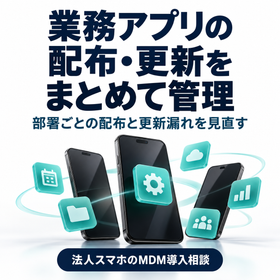
Centralized management of business app distribution and updates with MDM.

Organize the distribution by department, address any missed updates, and clarify the handling of employees upon resignation. We will review the operation of company iPhone applications.

Are you having employees install apps on their company iPhones individually and leaving updates to them? Issues such as different app requirements by department, lack of visibility into update statuses, and unclear processes for organizing devices upon employee departure can be addressed by establishing a clear flow from distribution to the end of operation. With MDM (Mobile Device Management), you can manage and distribute the relevant apps, as well as control updates and deletions. However, the available features vary depending on the OS, registration method, supervision status, chosen MDM, app types, and licenses. There are also differences in user actions during installation based on whether the device is supervised. At P-Up, we will ask about the number of devices, the departments involved, and the necessary apps, and we can consult with you on the introduction and management methods for corporate smartphones. The attached document summarizes the distribution targets by department, pre-operation checks, post-update inspections, and items to organize during employee departures or transfers. It is also necessary to confirm in advance the impact on data due to the deletion of managed apps. The scope of support, costs, and delivery times will be confirmed individually. For inquiries, please go to "Contact Us via Web." Please provide the number of devices, app names, and current distribution methods.

  • Mobile phones and smartphones
  • Device management software

Added to bookmarks

Bookmarks list

Bookmark has been removed

Bookmarks list

You can't add any more bookmarks

By registering as a member, you can increase the number of bookmarks you can save and organize them with labels.

Free membership registration